

WordPress & Web Development · Editorial access
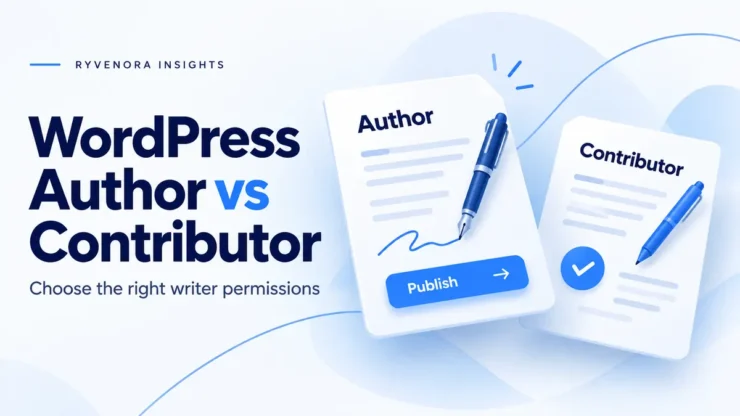
Choose Contributor when a writer must hand work to an editor before it goes live. Choose Author when that writer is trusted to publish, update and delete their own posts. Uploading images is another important difference: Authors can upload files by default; Contributors cannot.
Those defaults come from WordPress’s role and capability model. The right choice depends on who owns the final publication decision, including corrections after launch. Start with that decision before creating a writer’s account.
This guide covers the default roles for ordinary posts on a self-hosted WordPress site. Custom roles, membership tools, editorial plugins, custom content types and Multisite arrangements can change the details. Confirm the actual permissions on your site before relying on a role’s name.
Author vs Contributor: default permissions
“Own posts” means posts attributed to that user. It does not mean every article in the same category. The comparison below follows the official Author and Contributor capability lists; WordPress’s core role initialization reference also shows the separate upload, publish and edit capabilities.
| Task | Contributor | Author |
|---|---|---|
| Create and edit own unpublished posts | Yes | Yes |
| Publish own posts | No | Yes |
| Edit or delete own published posts | No | Yes |
| Upload media files | No | Yes |
| Edit other people’s posts | No | No |
| Edit pages or administer plugins and site settings | No | No |
Editor is a broader editorial role: it includes managing other people’s posts and pages. Administrator adds site administration responsibilities. Neither should be the starting point for someone whose job is simply to write articles.
Choose who controls publication, including later changes
Use Contributor for an editorial review queue
Contributor is a sensible starting point for guest writers, new freelancers and subject specialists whose drafts need fact-checking or brand review. Write down the acceptance process: who receives the draft, who checks claims, who handles images and who gives final approval.
A permission boundary cannot replace that process. A draft might be technically ready while still missing a source, permission to use a photograph or a promised customer quote. Give reviewers a clear checklist and a named backup for holidays. Set a realistic review window so writers do not need to chase several people for the same decision.
Use Author when independent publication is intentional
Author fits a trusted writer who owns a defined stream of content and can take responsibility for live changes. Agree in advance which changes they may make independently and which need a second review. Correcting a spelling error and changing a pricing recommendation have different editorial consequences even when the interface permits both.
Telling an Author to wait for approval is a team policy. It does not remove their default publishing permission. If approval must be enforced, keep that requirement central to the role decision.
If you need a tailored combination of permissions, treat it as a separate access-design task. The WordPress Plugin Handbook explains that roles are collections of capabilities and can be customized. Ask whoever maintains the site to document and test any customization, including its behavior after updates.
Plan the image handoff before the first assignment
The official Learn WordPress user-management lesson highlights a practical limitation: a default Contributor cannot upload files. Discovering that limitation on publication day creates an avoidable bottleneck.
For an approval-based workflow, a straightforward arrangement is for the writer to deliver text and a separate image brief. The editor then handles the media-library work. Do not promote someone solely to make an upload button appear if the extra publishing authority conflicts with your approval requirement.
Ask the writer to supply:
- The original image file through your agreed handoff channel, with a descriptive filename.
- The source, license or permission record, including any required attribution.
- The intended placement, crop and caption, clearly separated from the article text.
- A proposed alternative description explaining the image’s purpose in that passage.
The editor should make the final accessibility decision in context. A decorative flourish and an instructional image need different treatment; our WordPress image alt-text guide explains how to choose useful descriptions.
Keep a clear mapping between files and placements. “Use the second attachment after the table” becomes ambiguous once someone sends a replacement. A short brief such as “billing-workflow.webp — after the invoice checklist — final approved version” is easier to review and less likely to leave an outdated image in the article.
Onboard a writer with a specific assignment
WordPress’s Users Add New documentation describes creating a user and choosing a role. Have an authorized administrator create an individual account for each writer, using the writer’s correct email address. Avoid passing around an existing editor or administrator login.
- Record the access decision. Note the person, role, responsible editor, assignment scope and review date. “Writes product tutorials; submits to Alex for approval” is more actionable than “needs blog access.”
- Agree on the public identity. Confirm the byline, biography and any author-page expectations. Check the result on the site rather than assuming the profile form predicts every theme’s presentation.
- Provide a short editorial brief. Include the target reader, article purpose, source expectations, category guidance, image process and correction contact. Link to one approved article as a formatting example.
- Choose one review channel. State where to send the draft link and how to signal that revisions are complete. Verify any notifications your team depends on; do not make an untested email alert the only handoff.
- Start with one bounded assignment. Review how the writer handles feedback, citations and images before widening responsibilities. Schedule an access review when the engagement changes.
The public name is a profile choice, not a reason to grant the Author role. WordPress documents the “Display name publicly as” profile field. Check author archives and biography areas too, particularly when a writer uses a professional name different from their login.
Check the actual workflow without experimenting on live content
Before onboarding several people, run a small acceptance check on a staging copy with the same relevant plugins and role configuration. Use a harmless sample article and non-sensitive assets. Coordinate any test accounts with the administrator so they are removed or retained intentionally.
Check both the expected actions and the boundaries. A successful login proves very little about the editorial workflow. Menu visibility is also incomplete evidence: check the relevant editor behavior using an ordinary writer account, while keeping publication and deletion experiments away from production.
| Check | Useful evidence | If it fails |
|---|---|---|
| Draft handoff | The writer saves the sample, shares its link and the reviewer finds it. | Clarify the review queue and responsible person. |
| Publication boundary | The writer’s available actions match the agreed approval policy. | Review role customizations before granting more access. |
| Media process | The editor can identify the correct file, rights record and placement. | Improve the image brief and naming convention. |
| Correction route | A sample correction reaches the person responsible for the live article. | Assign an owner and a backup. |
Keep the resulting notes short: account role, relevant plugins, date, checks completed and unresolved differences. Repeat the affected checks when an editorial or access plugin changes. You do not need to turn every assignment into a permissions project, but the initial setup should be reproducible.
Handle corrections and departures deliberately
Under the default capability model, a Contributor cannot edit their own post after it has been published. Give them a correction route: article URL, passage needing attention, proposed wording, supporting source and urgency. The editor can then assess the change without reconstructing the request from a vague “please update my article.”
For Authors, agree how meaningful live edits are communicated to the editorial owner. Keep a separate note when a correction changes a recommendation, removes a claim or affects a customer example. WordPress revisions and autosaves can help explain saved versions, but a saved version does not establish that a change received editorial approval.
When an engagement ends, review access and content ownership together. Identify unfinished drafts, outstanding corrections, image permissions and who will maintain published articles. Decide whether the public byline should remain before changing attribution.
The WordPress Users screen documentation describes deleting a user’s content or attributing it to another user during deletion. Read that choice carefully. Deleting an account should not accidentally remove articles the publication intends to keep.
Have the administrator handle account closure according to the site’s existing access policy. Recheck a representative article and its author display afterward. If work has moved to a new editor, update the internal maintenance owner as well as any public attribution that intentionally changes.
Example: a small publication with two freelancers
Hypothetical example: a software consultancy commissions two tutorials each month. Its editor checks technical claims and customer references before publication. The freelancers submit text and licensed image files; the editor handles final media preparation and release.
Contributor is a reasonable starting choice because the consultancy wants a consistent approval boundary. The first assignment includes a source checklist, an image brief and a named review contact. A request for more convenient uploads triggers a workflow discussion rather than an automatic promotion.
Later, an established staff writer takes responsibility for independent release of a weekly tips column. Author may fit that responsibility, provided the team also accepts independent changes to that writer’s published posts. The role follows the job’s authority; seniority or article length alone does not decide it.
Frequently asked questions
Does an Author need an Editor to approve a post?
Not under default permissions. An Author can publish their own posts. Your team may request review, but enforced approval requires a suitable permission and workflow arrangement.
Can a Contributor upload a featured image?
Not with the default upload permissions. Plan an editor-managed image handoff, or have the site maintainer evaluate a carefully scoped custom role when that need justifies it.
Must a credited writer have the Author role?
No. The Author role grants permissions; it is not a requirement for recognizing someone’s writing. Arrange the post attribution and public profile display separately from the access decision.
What if the site behaves differently from this comparison?
Ask the maintainer to inspect the user’s actual capabilities and relevant plugins. Document the difference before changing access. Custom post types and customized roles may have their own rules.
Source and scope notes
Official WordPress documentation and developer references were checked on October 27, 2026. This is a planning guide to default roles, not a report of hands-on testing on your installation. The publication example is hypothetical; verify the workflow against your site’s current configuration.





Add comment