

Cybersecurity & Privacy / Security brief / Updated October 22, 2026
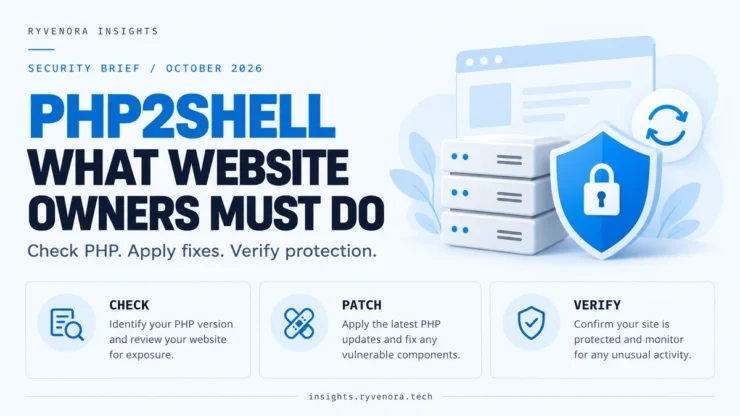
PHP2Shell is the name used for two critical PHP vulnerabilities: CVE-2026-109618 and CVE-2026-109619. They can allow unauthenticated remote code execution, and PHP released security updates on October 21, 2026. Website owners should confirm that the PHP runtime serving their site has received both fixes.
If Cloudflare has shown you a php2shell warning, treat it as a prompt to check your hosting. Cloudflare can filter attack traffic, but the software running at your origin still needs updating.
- Identify the PHP runtime serving each website.
- Install a fixed PHP release or a vendor-confirmed backported package.
- Confirm that the updated runtime is active and PHP workers have been restarted appropriately.
- Keep applicable WAF protections enabled and review suspicious activity.
Information checked: October 22, 2026. This incident is developing. Use the official advisories linked below for subsequent updates and vendor-specific instructions.
01 / What happened with PHP2Shell?
PHP’s October 21 security announcement identifies two runtime vulnerabilities and urges immediate updating. Both received a critical CVSS v4.0 score of 9.2. These are vulnerabilities in PHP itself, underneath applications such as WordPress.
| Vulnerability | Plain-English explanation | Official technical advisory |
|---|---|---|
| CVE-2026-109618 | Out-of-memory handling can leave internal request data partly initialized. Cleanup can then act on invalid memory. | RCE via OOM corruption |
| CVE-2026-109619 | A worker can retain internal state referring to memory from an earlier request. A later request can use that stale state. | RCE via stale global state |
The second advisory confirms memory disclosure and code execution with the web worker’s privileges. The practical impact depends on the build, application, extensions, and configuration. It does not mean every vulnerable server has already been compromised, or that every successful attack automatically gains root access.
There is evidence of attack activity. Amazon Threat Intelligence reports an exploitation attempt in MadPot telemetry dated October 17, before public disclosure. AWS also notes uncertainty about whether those early attempts would have succeeded against real-world systems. A honeypot observation should not be presented as proof that a particular website was breached.
02 / Who is affected, and which PHP versions are fixed?
PHP says installations serving web requests are at risk, including PHP-FPM, Apache mod_php, php-cgi, FrankenPHP, and LiteSpeed. Its announcement identifies mod_php as the highest-risk configuration, with demonstrated exploitation before application code runs. Using PHP-FPM or Nginx is not sufficient evidence that a site is safe.
The first fixed upstream releases are listed below. Use these or a later supported release containing the fixes:
| PHP branch | First fixed upstream release | Action |
|---|---|---|
| 8.2 | 8.2.35 | Update the deployed runtime. |
| 8.3 | 8.3.36 | Update the deployed runtime. |
| 8.4 | 8.4.27 | Update the deployed runtime. |
| 8.5 | 8.5.12 | Update the deployed runtime. |
These versions are confirmed by both PHP advisories. PHP 8.1 and older no longer receive normal updates from the PHP project. Ask your distribution or extended-support vendor about its fix, or move to a supported branch.
Distribution packages may retain an earlier base PHP version while adding security patches. For example, Ubuntu publishes its own fixed package revisions. Compare the complete installed package revision with the vendor advisory. Neither a major/minor label such as “PHP 8.3” nor a simple comparison against upstream release numbers is a complete check for every hosting environment.
Include staging sites, old subdomains, control interfaces, containers, and vendor products that bundle PHP in your inventory. NCSC-NL’s operational guidance explicitly recommends checking embedded runtimes and third-party images separately.
03 / Check the PHP version serving your WordPress site
In WordPress, open the Site Health screen and inspect the Server section under Info:
Tools → Site Health → Info → Server

Record:
- PHP version
- PHP SAPI
- Hosting account and affected domain
Record the complete displayed version. Site Health gives you useful runtime information, but it is not a PHP2Shell vulnerability scanner and may not identify the hosting vendor’s patch revision. Obtain that confirmation from your provider.
For cPanel, inspect the domain in MultiPHP Manager. Some hosts use a separate PHP Selector. Check the exact website or subdomain: domains on the same account can use different PHP configurations, and an inherited setting can point to a system default.
Changing a dropdown from one branch to another does not prove that either branch is patched. On shared hosting, the provider installs the PHP packages; your account’s selector chooses among the versions it makes available.
For administrators with SSH access
This read-only command checks the PHP executable found in your shell:
php -vCLI PHP may differ from the PHP-FPM, LSAPI, or Apache runtime serving a domain. Use the hosting platform’s package inventory and domain configuration to identify the web runtime too. Avoid leaving a public phpinfo() page online to collect this information.
04 / Ask your host to confirm the fix for your server
Request a precise answer that covers both CVEs, the runtime used by your domain, and activation of the update. You can copy this support request:
Please confirm whether the PHP runtime serving my domain has received fixes for CVE-2026-109618 and CVE-2026-109619. What complete PHP package/build revision is active, and does it use an upstream fix or a vendor backport? Have the relevant PHP workers been restarted or replaced? Please confirm this for my specific hosting server and domain, including any separately configured PHP versions.
Provider-wide announcements are useful, but rollout can vary by server. As one example, Namecheap’s incident page contains successive mitigation and patch-deployment updates. Its October 22 update at 11:58 UTC still listed a small number of servers in progress. Check the newest entry and your server identity rather than relying on an earlier paragraph or assuming every account has the same status.
If you manage a VPS, use the security update channel appropriate to its operating system and PHP packaging. cPanel EasyApache packages, distribution packages, and containers need their respective update procedures. A generic command copied for another platform can miss the runtime your websites actually use.
Keep a current backup and test the site after the update. When changing PHP branches for compatibility reasons, choose another fixed, supported build rather than restoring public service on a known vulnerable version.
05 / What does Cloudflare’s PHP2Shell warning mean?
In its October 21 incident explanation, Cloudflare says it deployed default protection for customers using its free or paid WAF. It also reports attack traffic and evolving attempts to bypass detection. Keep the relevant protection active while applying the PHP update.
Cloudflare’s announcement describes request and response detection. It directs customers to Security → Security Analytics → Events to inspect matching rules, actions, and paths; dashboard wording can change. Paid-plan customers should also confirm that the applicable Managed Ruleset is deployed in block mode.
The warning does not confirm that your site has been hacked. Equally, a blocked event does not prove the PHP runtime is patched.
Check the website hostname’s Cloudflare proxy status. DNS-only traffic does not receive the same HTTP proxy protection. Ask your administrator about direct-origin access and alternate hostnames that could reach PHP outside the proxy.
Ask whether custom skip rules or exclusions bypass relevant managed protections for the affected hostname or paths. Avoid assuming a broad exception is harmless simply because another Cloudflare security feature is enabled.
Our Cloudflare Cache Rules for WordPress guide covers caching separately. Cache bypass rules govern caching behavior; they should not be mistaken for proof that a WAF rule applies.
06 / What if you cannot patch immediately?
Escalate to the hosting provider or server administrator. PHP’s advisories describe temporary controls for particular attack paths, but neither a configuration-only workaround nor a WAF replaces the complete update.
The OOM advisory discusses enforced memory-limit changes and frontend request limits. The stale-state advisory discusses disabling session upload progress, PHP 8.5 fatal-error backtraces, and worker lifecycle controls. These measures have different scope and operational consequences.
Have an administrator apply the official guidance to the actual server architecture. In particular, removing PHP’s per-request memory limit changes resource-exhaustion behavior and needs appropriate isolation and request controls. Blindly pasting an isolated setting into shared hosting is not a complete response.
Where prompt patching or adequate containment is unavailable, discuss restricting access or temporarily taking the affected PHP service out of public reach. A WordPress maintenance plugin can still invoke PHP; containment should operate before requests reach the vulnerable runtime.
07 / Verify the update and investigate concerns
- Record the fixed upstream release or vendor-confirmed package revision.
- Confirm the correct runtime is active for every affected domain.
- Confirm relevant workers and old containers have been replaced or restarted.
- Test login, forms, uploads, and checkout where applicable.
- Retain access, error, hosting, and WAF logs for review.
AWS recommends checking suspicious requests, unexpected process execution, and file modifications. Its earliest reported attempt predates disclosure, so investigation should include at least October 17 onward where records are available.
Unusual PHP errors, changed files, or unfamiliar administrator accounts warrant investigation, but they do not identify PHP2Shell as the cause by themselves. Preserve evidence and involve your host or an incident responder before cleanup destroys useful records.
If compromise is suspected, patching addresses the vulnerability but does not establish that the environment is clean. Assess persistence and potential credential exposure, then replace affected secrets from a trusted environment as part of recovery. This is general incident-response guidance, not a claim that your website has been breached.
Frequently asked questions
Does updating WordPress fix PHP2Shell?
The required fix belongs to the PHP runtime. Keep WordPress and plugins updated too, but obtain confirmation that the server’s PHP packages contain both security fixes.
Am I safe because I use PHP-FPM?
PHP includes PHP-FPM in its affected web-serving environments. Exploit conditions vary, so the handler name alone is not a basis for skipping the update.
Does Cloudflare Free include protection?
Cloudflare’s October 21 announcement includes customers using its free WAF. Confirm that website traffic passes through the relevant protection and keep it enabled while PHP is patched.
Is an older-looking PHP version always vulnerable?
No. A vendor may backport the fix without changing the upstream base version. Check the complete package revision against that vendor’s advisory or request written confirmation from the host.
Should I install a WordPress security plugin instead?
A plugin cannot replace the PHP runtime patch. PHP documents a demonstrated mod_php attack path before application code runs, which is why application-level controls alone are insufficient.
Primary sources and update policy
This article summarizes official technical advisories and practical administrative checks. It does not report a security audit of Ryvenora Insights or any reader’s server. Hosting rollouts and protection rules may change after the stated check date.
- PHP: October 21 security announcement and the two linked PHP security advisories.
- Cloudflare: PHP2Shell protections.
- AWS: MadPot observations and response guidance.
- Ubuntu: fixed package revisions and NCSC-NL: operational guidance.


Add comment