

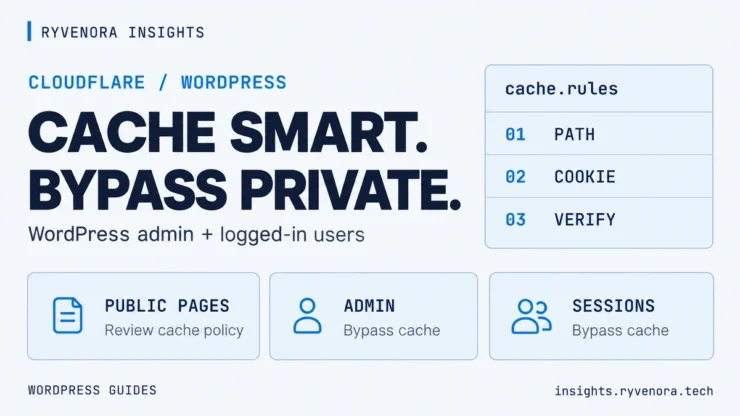
WordPress performance / Cloudflare / Cache exclusions
Caching a public article can save work for your server. Reusing a personalized page for the wrong visitor can break a session or expose information. The useful question is not just what to cache, but what must stay dynamic.
This guide shows how to create Cloudflare Cache Rules for WordPress that exclude admin pages and logged-in requests, then verify the result. It covers a conservative starting expression, rule order, optional WooCommerce exclusions, and the difference between Cloudflare and WordPress page caching.
Create a hostname-scoped Cache Rule, match private paths and session cookies, and choose Cache eligibility → Bypass cache. Place exclusions after conflicting eligibility rules. Verify the HTML response for both visitors and logged-in users; do not rely on the status of an image or stylesheet.
Scope: documentation reviewed October 22, 2026. Examples assume WordPress is installed at the root of one hostname. Adapt paths for subdirectory installations, renamed login pages, and plugins. This article publishes configuration examples; it does not change your Cloudflare account.
01 / Check whether HTML caching is enabled at all
Cloudflare’s default CDN behavior caches supported static resources such as images, CSS, and JavaScript. It does not cache HTML or JSON by default. A normal WordPress article can therefore return CF-Cache-Status: DYNAMIC while its images return HIT.
That is not automatically a problem. A WordPress page-cache plugin or your host may already provide cached HTML at the origin while Cloudflare handles static assets. See Cloudflare’s default cache behavior.
Exclusions become particularly important when you enable additional HTML caching through Cache Rules, APO, a plugin integration, or a Worker. Review what is already active before adding overlapping rules.
If the page responds quickly but its hero appears late, follow our Elementor hero image LCP guide to investigate image loading and rendering delays.
The examples below define requests that should bypass Cloudflare’s cache. They do not make other requests cacheable or replace a complete anonymous-page caching policy.
02 / Identify private paths and session cookies
| Request type | Why review it |
|---|---|
/wp-admin/ and /wp-login.php | Administration, authentication, and admin-side requests should stay outside shared page caching. |
| WordPress REST endpoints | Responses may depend on authentication or request context. |
| Logged-in requests to public URLs | The same article URL may contain an admin bar, user information, or personalized output. |
| Password-protected posts and commenter sessions | Cookies may change which content or prefilled form values a visitor sees. |
| Previews and tokenized URLs | A query string can select unpublished or visitor-specific content. |
| Cart, checkout, account, or member pages | These require exclusions that match the actual application. |
WordPress documents the wordpress_logged_in_[hash] cookie and commenter cookies in its cookie reference. Plugins can add other session markers, so this inventory must reflect your site.
03 / Create the WordPress bypass rule
Cloudflare lists Cache Rules as available on Free, Pro, Business, and Enterprise plans. They apply to traffic passing through proxied DNS records. A DNS-only hostname does not use the standard Cloudflare CDN cache. Confirm those prerequisites in the Cache Rules documentation.
- Open the appropriate zone in the Cloudflare dashboard and go to Cache Rules.
- Select Create rule and name it WordPress — bypass private requests.
- Choose a Custom filter expression and open the expression editor.
- Adapt the example below before saving.
- Under Cache eligibility, select Bypass cache.
- Review the rule’s position and deploy it.
Replace example.com with the exact hostname visitors use, such as blog.example.com. If both www and non-www serve content, account for both or use your canonical redirect. For WordPress installed under /blog/, adjust the WordPress paths too.
(http.host eq "example.com" and (
  http.request.uri.path eq "/wp-admin"
  or starts_with(http.request.uri.path, "/wp-admin/")
  or http.request.uri.path eq "/wp-login.php"
  or http.request.uri.path eq "/wp-json"
  or starts_with(http.request.uri.path, "/wp-json/")
  or http.request.uri.path eq "/wp-cron.php"
  or http.request.uri.path eq "/xmlrpc.php"
  or http.cookie contains "wordpress_logged_in_"
  or http.cookie contains "wordpress_sec_"
  or http.cookie contains "wp-postpass_"
  or http.cookie contains "comment_author_"
  or (
    http.request.uri.query ne ""
    and http.request.uri.path.extension in {"" "php" "html" "htm"}
  )
))
The query-string clause conservatively bypasses requests for extensionless pages and PHP/HTML URLs when they carry parameters. That covers common previews, searches, and query-based REST routes. It also bypasses article URLs with tracking parameters. Versioned .css and .js assets do not match that clause.
Unusual permalink extensions, plugin endpoints, and custom authentication need their own review. Avoid narrowing exclusions merely to increase the hit rate.
The expression uses documented Cache Rule fields and operators, including hostname, path, extension, query string, and cookie matching. Cloudflare also provides a cookie-bypass example.
This is a Cache Rule. A WAF rule that skips security checks does not create the same cache exclusion. You do not need to disable security protection to configure cache bypass.
04 / Put exclusions after conflicting cache rules
Cloudflare Cache Rules can combine settings from multiple matches. When matching rules conflict on the same setting, the last matching rule wins. A later eligibility rule can therefore undo an earlier bypass.
| Example order | Purpose |
|---|---|
| Earlier: public-page eligibility policy | Defines appropriate anonymous content for caching, if you use one. |
| Later: WordPress private-request bypass | Overrides eligibility for the protected paths and cookie states. |
| Later: application-specific bypass | Excludes shop, member, or other custom sessions as needed. |
Audit all matching rules rather than assuming the most specific expression automatically wins. Cloudflare explains this in Cache Rule order and priority.
Check Workers, APO, and the origin separately
A Worker can apply its own caching behavior. If one handles the hostname, review it alongside Cloudflare’s Worker and Cache Rule precedence.
APO has its own cookie and query-parameter behavior. Review its documented exclusions rather than assuming this generic example describes its full configuration.
At the origin, your host or WordPress page cache must also exclude private sessions. Bypassing Cloudflare cannot repair personalized HTML that the origin already cached incorrectly. Review origin Cache-Control headers and avoid indiscriminately overriding private-response instructions with a forced Edge TTL.
05 / Extend the exclusions for WooCommerce or memberships
WooCommerce identifies Cart, Checkout, and My Account as dynamic pages. It also documents session and cart cookies in its caching guide. Adapt the actual page slugs, including translated or renamed paths.
The following is a separate illustrative bypass rule. It supplements the WordPress baseline and uses Cache eligibility → Bypass cache:
(http.host eq "example.com" and (
  http.request.uri.path eq "/cart"
  or starts_with(http.request.uri.path, "/cart/")
  or http.request.uri.path eq "/checkout"
  or starts_with(http.request.uri.path, "/checkout/")
  or http.request.uri.path eq "/my-account"
  or starts_with(http.request.uri.path, "/my-account/")
  or http.cookie contains "wp_woocommerce_session_"
  or http.cookie contains "woocommerce_items_in_cart"
  or http.cookie contains "woocommerce_cart_hash"
  or http.request.uri.query contains "wc-ajax="
  or http.request.uri.query contains "add-to-cart="
))
This is not an exhaustive recipe for every store. Review recently viewed widgets, currency or location variations, custom checkout flows, and extension-specific cookies. For memberships, identify account, subscription, protected-content, and session behavior before enabling shared HTML caching.
Preserve meaningful query strings in your overall cache policy. Removing query parameters from a cache key can collapse different application responses into the same entry.
06 / Test the HTML response, not just the assets
Use a public article URL for the anonymous check. If you intentionally cache anonymous HTML, repeated requests can show MISS followed by HIT. If you use default CDN behavior, DYNAMIC can be the expected result.
curl -sS -D - -o /dev/null https://example.com/sample-post/Use the same URL and client for comparisons. Do not add a random query parameter to every request: this example deliberately bypasses parameterized page URLs.
Check the cookie condition without exposing a real login cookie
curl -sS -D - -o /dev/null \
  -H 'Cookie: wordpress_logged_in_probe=1' \
  https://example.com/sample-post/
The invented cookie should trigger this example’s cookie condition. It is not a valid WordPress login and does not prove that real authenticated content is correct. Also test your actual logged-in session in the browser, using Developer Tools to inspect the main document response. Do not copy real session cookies into a shared command or screenshot.
On Windows PowerShell, use curl.exe and NUL for the output destination:
curl.exe -sS -D - -o NUL https://example.com/sample-post/| Header result | Interpretation |
|---|---|
HIT | Cloudflare found a cached response. Investigate if private HTML shows this. |
MISS | The request was eligible but the object was not present. One MISS does not prove future requests bypass cache. |
DYNAMIC | The response is ineligible for caching, possibly because of default behavior or a bypass rule. |
BYPASS | Cloudflare did not cache the response because of relevant origin or cache behavior. Interpret it with the request and other headers. |
A Cache Rule bypass can return DYNAMIC; it need not literally return BYPASS. Read Cloudflare’s bypass setting note and cache-status definitions. Check the page body as well: a challenge or error page is not a successful WordPress test.
Finally, test login, logout, previews, forms, and any checkout or member flow. If a form submits but its notification is missing, continue with our Contact Form 7 email-delivery guide.
Troubleshoot unexpected results
| Symptom | Next check |
|---|---|
| Private HTML still returns HIT | Hostname, real cookie names, rule order, Workers, and the deployed expression. |
| Public article stays DYNAMIC | Whether anonymous HTML caching was enabled at all; a bypass rule does not enable it. |
| Origin serves old personalized content | Host and WordPress page-cache exclusions; clear the affected origin cache. |
| A changed page remains stale | Relevant cache layers and purge settings, including cache-key variants. |
| Preview or account flow breaks | Custom paths, parameters, cookies, and response headers. |
If a caching change caused a problem, disable the new eligibility policy, restore the known working configuration, and clear affected cached content. Keep protective exclusions while investigating. Do not fix a session problem by forcing more requests into shared cache.
- The rule matches the correct hostname and installation path.
- Admin and actual logged-in document requests stay out of shared edge cache.
- No later eligibility rule overrides the exclusions.
- Origin page caching respects the same private sessions.
- Forms, previews, login, and application-specific flows work.
- Public-page behavior matches the caching policy you intended.
Frequently asked questions
Do I need a paid Cloudflare plan for this bypass example?
Cloudflare lists Cache Rules on Free and paid plans. This example uses basic hostname, path, query, and cookie conditions rather than a regex or an Enterprise custom cache key. Validate the expression in your dashboard and check your account’s rule allowance.
Should every page show HIT?
No. Private requests should stay outside shared page caching. Public HTML may also remain DYNAMIC if you use default Cloudflare behavior and cache pages only at the origin.
Does cache bypass turn off WAF protection?
No. Cache eligibility and security rules are separate controls. Configure the exclusion in Cache Rules; do not substitute a broad security-skip rule.
Does browser “Disable cache” clear Cloudflare’s cache?
No. Browser caching and Cloudflare’s shared edge cache are separate layers. Inspect response headers and use the appropriate purge control when you need to invalidate edge content.
Should I bypass whenever any cookie exists?
That is conservative but can bypass many ordinary visitors carrying analytics or preference cookies. Identify cookies that change the response or represent private state, and review plugin requirements before refining the policy.
Sources and implementation notes
Official documentation reviewed October 22, 2026. Expressions and commands are examples, not a claim of deployment or live cache testing on your account.



Add comment