

Digital Business / Google Workspace / Employee handover
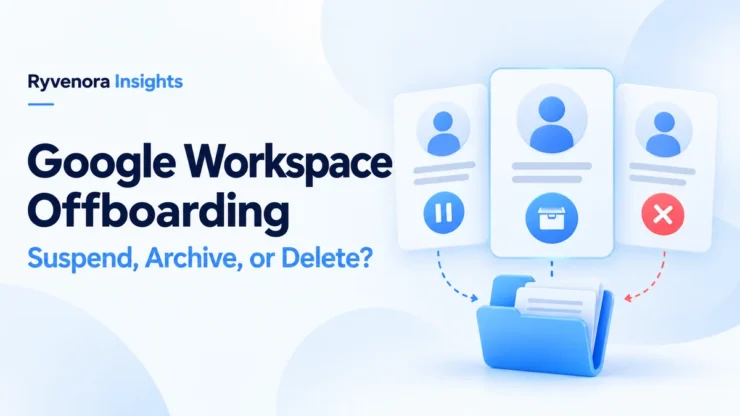
For Google Workspace employee offboarding, suspend an account when you need to block access while deciding what to preserve. Consider archiving when the account’s data must remain available under a supported retention arrangement. Delete only after the required handover and preservation checks are complete. These actions serve different purposes; none replaces a plan for files, incoming email, and other business accounts.
This guide is for administrators of a domain-verified business organization. It does not describe deleting a personal Gmail account or removing someone from an email-verified team. Use it to prepare a documented handover, then follow the current instructions for your subscription and admin privileges.
Choose the account state around the business need
Start with three questions: Must access stop now? What information must remain usable? Is the organization ready to remove the account? Write the answers before selecting a button in the Admin console.
| Action | Useful situation | Key limitation |
|---|---|---|
| Suspend | A temporary access block while the handover is assessed. | The account remains billable; new mail is blocked. |
| Archive | Preserving a former employee’s account data. | Check subscription conditions and how authorized people will retrieve it. |
| Delete | Closing an account after preservation and handover. | Untransferred data can be lost; recovery is limited. |
Suspension is a pause, not a mailbox handover
Google’s suspension documentation says the user’s data is retained and collaborators keep their existing access to shared documents. An administrator-suspended account cannot receive new email or calendar invitations. Suspended users continue to be charged at the active-user rate on both Flexible and Annual plans.
That makes suspension useful for separating urgent access control from a slower review. It does not assign a manager to answer enquiries or identify which client folder needs attention. Add an owner and a review date so the temporary state does not become an unmanaged long-term expense.
Archiving is a distinct retention option
Google’s archiving guide describes retaining account data while preventing sign-in. Archived data still counts toward pooled storage. Vault search, export, retention rules, and holds depend on the relevant licences.
The current guide includes both Archived User subscription arrangements and an option to archive without a separate subscription. Check its eligibility instructions and your Billing > Subscriptions page; do not assume every tenant needs the same purchase. An archived account cannot receive new email or invitations.
Ask a practical question before choosing this route: “Who will retrieve the information, using which authorized tool?” Keeping information and making it convenient for a project team to work on are separate outcomes.
Deletion belongs after the preservation decision
Google’s deletion guidance explains that data not transferred can be deleted. A deleted account can be restored for up to 20 days, but this is not a guarantee that all data is recoverable. In particular, deleting Vault users can cause immediate purging despite previous retention settings.
Have the person responsible for the organization’s retention policy approve the preservation decision. Do not remove a hold simply to make an account-deletion workflow proceed.
Close access at the agreed departure time
Agree on the timing with the responsible manager and authorized administrator. Record the employee’s exact account, relevant aliases, devices, and business systems. A shared surname or similar display name should not be enough to identify the account to change.
Google’s departure security checklist covers recovery details, passwords, OAuth application access, sign-in cookies, security keys, app passwords, and managed-device actions. Use the relevant controls for your environment rather than assuming a password change covers every access route.
For devices, establish whether you are handling a company-owned device or an employee’s personal device, and which management controls apply. Confirm the scope of any removal action before executing it. A whole-device wipe and removal of organizational data have different consequences.
Make a separate list of non-Google services: hosting, domain registration, payment platforms, social accounts, code repositories, and customer systems. Assign each to its service administrator. A Workspace account-state change should not be treated as evidence that every independent account has been closed.
Keep a short record of the action, administrator, and completion time. If a system cannot be checked immediately, record the outstanding owner and deadline instead of marking the entire offboarding complete.
Transfer working files and verify ownership
A manager seeing a folder today does not prove that the right person owns its contents. Review the work that must continue: proposals, source materials, spreadsheets, meeting recordings, and client deliverables. Identify a destination owner who will actually use and maintain them.
Google’s administrator transfer guide requires a recipient within the organization with an active account, Drive enabled, and sufficient storage. Direct ownership transfers to an external account are not supported by that process. Files in Trash are not transferred, so review whether anything there needs preserving.
For a bulk transfer, the documented route is Apps > Google Workspace > Drive and Docs > Transfer ownership, with the required administrator privilege. Select the source and recipient carefully, start the transfer, and wait for its completion notification. Google also describes preparing the source account by suspending it to prevent changes during the transfer.
Separate My Drive from shared drives
Google’s ownership documentation distinguishes individually owned My Drive files from shared-drive files owned by the organization. The latter do not need an individual ownership transfer. They still need appropriate membership and someone responsible for the ongoing work.
As a handover check, ask the new owner to open several important files from their own account. Check a nested folder, a recently edited document, and a file used by an external client. Verify ownership where applicable, along with the permissions needed for the task.
Ownership changes do not automatically clean up sharing. Google’s admin transfer guide says transferring files does not change who has access. Review unwanted external access separately, preserving legitimate client collaboration where it is still required.
Preserve email and calendars as separate workstreams
“Transfer the account” is too vague for a completion record. A Drive ownership transfer is not an email migration. Use a small inventory that says what is being preserved, where it will go, and who can retrieve it.
Google’s preservation options lists distinct methods by data type, including email migration, exports, Calendar transfers, and Archived User arrangements. Choose the method around the retrieval need, not merely whether an export button exists.
| Business need | Record before closure | Acceptance check |
|---|---|---|
| Continue an active client project | Working-file destination and named project owner. | The successor can open and edit the required material. |
| Find historical correspondence | Approved email preservation method and retrieval owner. | An authorized person can locate a sample conversation. |
| Maintain upcoming meetings | Calendar or event handover plan. | The replacement organizer can manage the relevant schedule. |
| Retain records under policy | Retention decision, access restrictions, and review date. | The responsible owner confirms the arrangement meets the stated requirement. |
For an export, verify more than a downloaded filename. Record where it is stored, who can access it, and how it will be opened. For a migration, check the destination and any reported exceptions. For a retained account, document the retrieval procedure and required permissions.
A useful test is to give the successor a concrete question, such as finding the latest approved proposal. If nobody can answer without signing in as the former employee, the handover still needs work.
Plan future messages separately from historical mail
Preserving yesterday’s correspondence does not tell customers where to send tomorrow’s enquiry. Decide whether the old address should direct people to a successor, route messages through an approved arrangement, or stop being used.
Google’s preservation documentation treats email forwarding as a separate option after preservation. Verify the exact delivery behavior for your chosen account state and routing configuration. Do not assume a suspended or archived inbox will quietly continue collecting messages.
Write a clear ownership rule: who monitors the destination, who replies, and when the transition is reviewed. If several people need to handle enquiries, choose an appropriate team workflow. Our email alias vs shared mailbox guide explains the difference between an address and a collaborative mailbox arrangement.
Before closing the task, send an authorized test enquiry from outside the organization to the relevant business address. Check where it arrives and what the sender sees. Keep the result in the handover record and correct any gap before relying on the new arrangement.
Check licences without making premature savings assumptions
Google’s billing notes for deleted users distinguish Flexible from Annual/Fixed-Term plans. Deletion does not reduce the committed licence count or bill under an Annual/Fixed-Term plan; the licence can be reassigned. Flexible-plan charges are prorated, with qualifications for some add-ons.
Record the actual subscription arrangement and renewal date. For archiving, verify the conditions shown for your tenant and any additional licences involved. Avoid putting an assumed saving into the budget before the billing administrator checks it.
A useful cost review asks whether the organization still needs working access, historical retrieval, or both. Compare the complete arrangement, including storage and retrieval work. The cheapest-looking account state may create more work if essential documents become difficult to find.
Close the handover with a named reviewer
Hypothetical example: a small agency offboards a project coordinator. The administrator blocks access at the agreed time. The project lead accepts the working files, an authorized records owner checks the email-preservation method, and the operations lead tests the replacement enquiry route. The billing owner then confirms the appropriate account state and subscription effect.
This division makes the completion record useful: each person confirms an outcome they can verify. It avoids asking one administrator to guess whether every client project is ready to continue.
- Correct identity and departure time recorded.
- Google and independent service access reviewed by their owners.
- Required working files accepted by the successor.
- Email and calendar preservation verified.
- Future-message behavior tested and documented.
- Retention decision and account state approved.
- Billing effect checked against the actual subscription.
- Outstanding exceptions assigned an owner and review date.
Keep the final record in a business-controlled location with appropriate access. Review the process after the departure: identify which business assets depended too heavily on one account, and improve ownership and documentation before the next handover.
Frequently asked questions
Does suspending a user stop licence charges?
No. Google states that suspended accounts are charged at the active-user rate on both Flexible and Annual plans.
Is archiving always a separate paid subscription?
Check Google’s current eligibility guidance and the options shown for your subscription before budgeting.
Does a Drive transfer also move Gmail?
No. Plan email preservation or migration separately from file ownership, and verify both destinations.
Can the 20-day recovery window replace a preservation plan?
No. Verify preservation first; recovery is limited.
Sources and scope
Google’s primary documentation was checked on 25 October 2026. This guide addresses domain-verified business organizations. Available controls depend on edition, subscription, privileges, and configuration. The agency example is hypothetical.


Add comment