

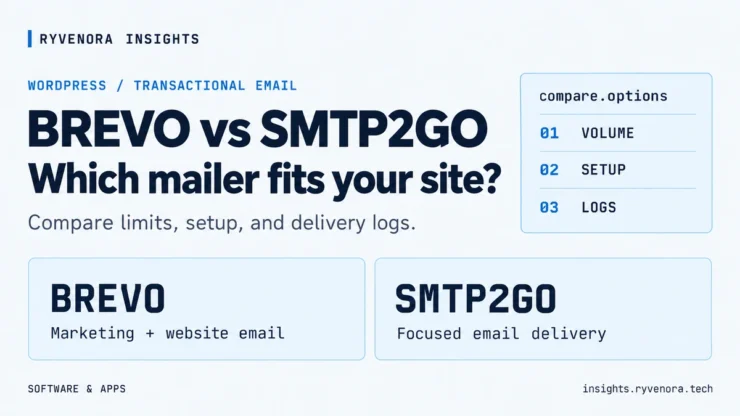
Software comparison / WordPress / Transactional email
A contact form does not need a large marketing stack to deliver an inquiry. It does need an authorized sender, enough sending capacity, and a way to investigate a missing message.
This Brevo vs SMTP2GO comparison for WordPress focuses on those requirements. Both can carry your website’s notifications. The better fit depends on daily peaks, monthly volume, and whether you also want newsletter and marketing tools.
Shortlist SMTP2GO for a focused website-email connection, especially when your newsletter already runs elsewhere. Shortlist Brevo when you want marketing and website email in the same platform, or its daily free allowance better matches your traffic. Check both monthly volume and your busiest day before deciding.
Review basis: official pricing, integration, and support documentation checked on October 22, 2026. This is a documentation-based comparison, not a hands-on inbox-placement benchmark. Sending examples below are illustrative.
Brevo vs SMTP2GO: the practical differences
| Decision point | Brevo | SMTP2GO |
|---|---|---|
| Main reason to consider it | Website email alongside marketing campaigns, forms, and automation. | A focused email-delivery service for website notifications and other applications. |
| Free sending allowance | 300 sends per day; unused daily allowance does not roll over. | 1,000 emails per month, with a 200-per-day cap. |
| WordPress connection | Official Brevo plugin with a transactional-email setting; other supported mailer integrations are also available. | Official SMTP2GO plugin using an API key; SMTP and other supported integrations are available. |
| Free-plan volume constraint | Daily capacity, including other sends using the same credits. | Both daily and monthly capacity. |
| Log-history distinction | Configurable transactional log and preview retention, subject to platform policies. | Five days of activity reporting on Free; 30 days on paid plans by default. |
| Entry paid allowance to compare | Starter begins at a 5,000-send monthly tier; additional tiers are available. | Starter includes a 10,000-email monthly option; additional tiers are available. |
Sources: Brevo’s plan overview and free-plan limits; SMTP2GO’s Free plan and plan differences. The sections below explain what those limits mean in practice.
01 / Count emails, not form submissions
One inquiry may create an internal notification and a separate confirmation to the visitor. WordPress may also send password resets, account notices, and other plugin-generated messages. Budget for the whole sending workload.
200 contact-form submissions
  × 2 emails each
  = 400 emails

100 other website notifications
  = 100 emails

Estimated total
  = 500 emails per month
This example fits both free allowances if traffic stays within each daily cap. It does not prove that a busier website will fit.
| Example workload | What it tells you |
|---|---|
| 500 emails per month, spread evenly | Both free plans can be candidates. Check actual peak days and other sends. |
| 1,800 per month, with fewer than 300 on every day | Brevo’s daily allowance can accommodate that pattern. SMTP2GO Free’s monthly cap cannot. |
| 240 website notifications on one day | Below Brevo’s daily cap if no other sends consume it; above SMTP2GO Free’s daily cap. |
These are allowance calculations, not delivery promises. Allow headroom for tests, retries, additional recipients, and unexpected traffic. Use your provider’s usage dashboard to confirm how your real messages consume quota.
02 / Check what happens when you hit a limit
Brevo: a daily allowance with a transactional retry queue
Brevo documents 300 free sends per day. For transactional email beyond that daily limit, its FAQ describes a retry queue holding up to 1,000 additional messages; messages beyond that queue are not delivered.
That makes a delayed confirmation possible even when your monthly total looks small. Unused capacity from a quiet day does not become extra capacity for a busy one.
SMTP2GO: daily queuing and a separate monthly hard stop
SMTP2GO documents 1,000 free emails per month and 200 per day. Messages exceeding daily capacity are queued. After the monthly allowance is reached, further sending attempts are rejected rather than saved for the next cycle. Unverified free accounts also have an hourly restriction that domain verification removes.
A notification waiting for quota may be too late for a sales inquiry or password reset. Choose capacity for your busiest realistic period. If a message was rejected, confirm whether your application will retry before assuming an upgrade will recover it.
Read the current Brevo quota behavior and SMTP2GO quota behavior before relying on either free plan.
Sharing Brevo with a newsletter changes the calculation
Brevo email credits can be used for marketing and transactional messages. Budget for both when they use the same allowance. For example, 250 newsletter sends plus 80 website notifications total 330 sends, exceeding a 300-send daily allowance.
Brevo explains credit usage in its email allowance documentation. A site using another newsletter platform can assess its website-email provider independently.
03 / Compare the WordPress setup
Brevo’s official plugin
Brevo’s WordPress plugin combines several platform features, including signup forms, subscriber synchronization, and transactional email. Its documented setup connects the account with an API key, then lets you enable sending through Brevo under the transactional-email setting.
- Connect the account using the plugin’s current setup instructions.
- Verify the sending domain and authorized From identity.
- Enable the transactional-email option.
- Send the plugin test and then a real form submission.
If the transactional platform is not activated, Brevo’s guide directs you to request activation. Creating an account and connecting a plugin do not by themselves confirm that sending is enabled. Follow the official WordPress guide.
SMTP2GO’s official plugin
The official SMTP2GO plugin uses an API key and a verified sender domain. Its setup guide includes a sending switch, From address, and a test screen. Using this integration does not require manually entering SMTP host and port fields.
- Install the official plugin and open its settings.
- Create an API key with the permissions listed in its guide.
- Enable sending and enter your verified From identity.
- Run the built-in test, then submit your public form.
See the official SMTP2GO WordPress setup. If a working mailer plugin already supports your selected provider, assess that integration before adding another plugin that controls the same mail flow.
What neither service fixes automatically
A wrong recipient, incorrect form mail-tag, or visitor address placed in From can still cause trouble. Keep the visitor’s address in Reply-To and use an authorized site-domain sender. Our Contact Form 7 troubleshooting guide walks through these checks.
For the DNS side, follow our SPF, DKIM, and DMARC guide for WordPress. Provider selection is separate from verifying the actual received message.
04 / Make sure the logs last long enough
When a client reports a missing inquiry, you need to find the message by recipient, timestamp, or message ID. “The plugin said sent” does not identify whether the provider accepted it, queued it, or received a rejection.
Brevo: configurable retention and message previews
Brevo’s documentation describes transactional events, exports, and email previews. Logs and previews are retained indefinitely by default unless retention rules apply, with a separate platform policy for accounts exceeding 10 million email events.
You can configure automatic deletion and decide whether to save future previews. This matters because contact-form contents can contain personal information. Review the transactional log documentation and retention settings.
SMTP2GO: shorter free history, longer paid reporting
SMTP2GO Free includes five days of activity reporting. Paid plans include 30 days by default, with paid extensions available. If you only investigate problems once a week, the free reporting window can be a meaningful limitation.
Activity reporting and retaining complete message content are different requirements. SMTP2GO lists email archiving separately among its optional features. Check the plan features and activity-storage options.
Send an identifiable form notification. Find it in the provider’s log. Check the event details and received headers. Then confirm how long that evidence remains available on the plan you intend to use.
05 / Compare paid quotes at the same volume
The entry tiers are not equivalent: Brevo’s plan overview starts Starter at 5,000 monthly sends, while SMTP2GO offers a 10,000-email Starter option. Comparing only the lowest advertised price can hide that difference.
Use the live Brevo pricing selector and SMTP2GO pricing selector for the same workload and billing term. Check:
- Volume: your monthly total and expected peaks.
- Commitment: monthly billing versus an annual payment.
- Extras: reporting retention, archiving, additional users, or branding requirements.
- Overflow: overage charges, queues, and rejected-send behavior.
- Currency and tax: the final checkout amount for your account.
This comparison fixes the documented free limits above and leaves paid costs linked to the providers’ current quotes. An advertised starting rate is not a quote for your chosen volume or feature set.
Which should you choose for your WordPress site?
| Your situation | Our shortlist | Condition to check |
|---|---|---|
| You only need low-volume website notifications. | SMTP2GO. | Stay within both free caps and assess the five-day reporting window. |
| You want newsletters and website email together. | Brevo. | Budget for shared sending credits and configure only the integrations you need. |
| Your website exceeds 1,000 sends per month but remains below 300 every day. | Brevo Free may fit. | Include all other account sends and leave headroom. |
| One busy day can delay urgent notifications. | Compare suitable paid plans. | Check activation requirements, peak capacity, and overflow handling. |
| You need to investigate old complaints. | Evaluate retention before price. | Confirm the exact history available on your selected plan. |
For a simple business site whose newsletter already runs elsewhere, SMTP2GO is a focused candidate. For combined marketing and website-email needs, Brevo offers a broader workflow. These are fit-based recommendations, not a measured deliverability ranking.
Before switching, verify the domain, save a copy of the working configuration, and test a plugin email plus a real form submission. Keep a stored copy of inquiries where appropriate so notifications are not your only record.
Frequently asked questions
Is Brevo or SMTP2GO better for Contact Form 7?
Both can send its WordPress notifications through a suitable integration. Choose based on volume, peak-day limits, logs, and whether you need marketing tools. Correct From and Reply-To settings remain essential.
Can I receive the messages in Gmail?
Yes. Gmail can be the recipient while either provider handles sending. Use your verified business-domain identity as the sender rather than pretending the notification originated from the visitor’s Gmail account.
Do I need both providers?
A basic website generally needs one configured sending connection. Multiple providers add routing and troubleshooting work. Add a supported backup arrangement only when you have a clear operational need and can test it.
Which has better deliverability?
This article does not establish an inbox-placement winner. A fair test would need controlled messages, verified identities, multiple receiving providers, and repeated measurements. Marketing claims and a successful plugin test do not substitute for that evidence.
Can I replace my contact-form plugin with either service?
The sending service and the contact form have different jobs. You can usually keep your existing form and change its WordPress mail connection. Test the actual form after making the change.
Sources and review notes
Provider documentation reviewed October 22, 2026. Limits, features, and plan terms can change. No paid subscription purchase, production migration, or hands-on delivery benchmark is claimed.


Add comment